English
 Deutsch
 Espanol
 Français
 Portuguese
 中文
中文 한국어
한국어 日本語
日本語
Mobile APM
What is Mobile APM?
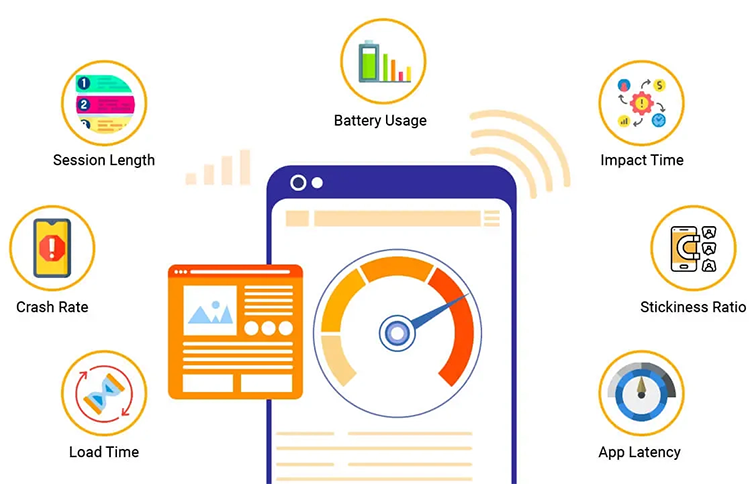
"Mobile APM" stands for "Mobile Application Performance Monitoring", which refers to the practice of using software tools to track and analyze the performance of mobile applications on various devices, allowing developers to identify and address issues that could impact user experience, such as slow loading times, crashes, and 3rd party calls.
What Mobile APM Involves

Mobile Application Performance Monitoring involves:
User Experience Monitoring:
Identifying network issues:
Capturing crash analytics:
Identifying UI bottlenecks:
User experience improvement:
Ensuring device and OS compatibility:
Identifying third-party liabilities:
Highlighting geographical variations
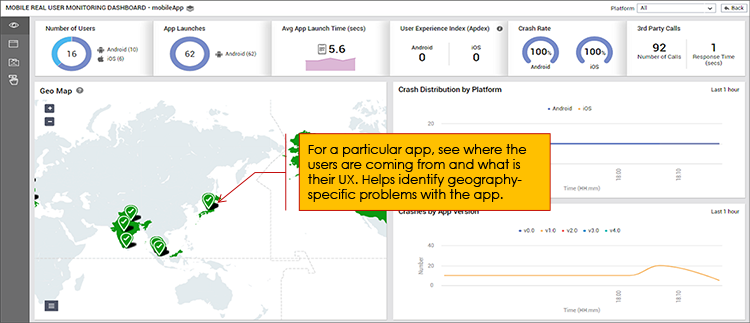
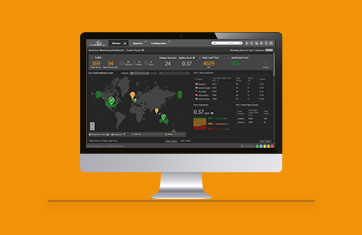
Dashboards are a common feature of Mobile APM tools that give an instant and holistic view of mobile application performance across the user base
The Importance of Mobile APM
Mobile APM is essential for organizations to be able to optimize and improve the applications they supply for use on mobile devices. Mobile applications are often critical to core business operations, and unreliable or slow apps can cost and hinder business operations. Third-party articles covering statistics on the costs of poor mobile application performance include:
Mobile App Performance Targets and SLAs
Mobile APM tools should enable organizations to set meaningful SLAs and KPIs for the performance of their mobile apps. Moreover, these tools should collect sufficient data to enable the organization to optimize and improve mobile apps to stay withing SLAs and to improve reliability and performance.
Typical targets for an application will include quantifying performance and reliability via (some suggested values / targets are included – however apps will vary):
App Launch Time
Crash-Free Sessions
- Target crash-free sessions ≥ 99.9% (i.e., < 1 crash per 1,000 sessions).
- Remember crashes are frequently platform specific.
- Even a 1% drop in the crash-free rate can lead to significant revenue impacts.
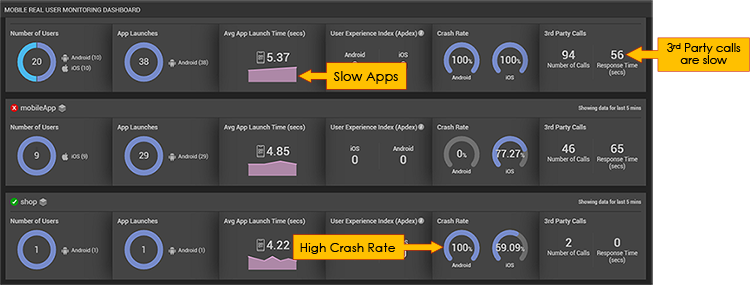
Track iOS and Android platforms separately as crashes and other issues are often platform specific
App Responsiveness (UI Performance)
Network Performance
Resource Usage
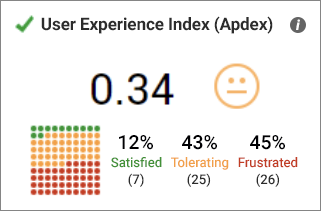
User Experience Metrics
Platforms Supported by Mobile APM Tools

Mobile APM tools typically support applications built as both native apps and hybrid apps. Native apps are fully built for iOS/Android using native SDKs. Native Android apps are commonly built using Java and Kotlin, whereas native iOS apps may be built using Objective-C and Swift.
Hybrid apps are web apps wrapped in a native shell but run primarily with web technologies (for example: HTML, CSS, JS). Frameworks used to package the web app within a native shell typically include React Native and Flutter.